

HDMI eARC : la nouvelle norme pour l’audio haute qualité
Au cours de la dernière décennie, le HDMI est devenu la connexion centrale des systèmes de divertissement modernes. Bien qu'il soit le plus souvent associé à la transmission vidéo, le HDMI peut également transporter des signaux audio entre les appareils. Cela permet aux téléviseurs d'envoyer le son vers des haut-parleurs externes grâce à une fonction appelée ARC (Audio Return Channel).
Avec l'essor des plateformes de streaming, des consoles de jeux et des contenus haute résolution, la technologie ARC traditionnelle a commencé à montrer ses limites. La technologie HDMI eARC (Enhanced Audio Return Channel) a été introduite pour pallier ces limitations. Grâce à une bande passante nettement supérieure et une communication optimisée entre les appareils, l'eARC permet aux téléviseurs de transmettre des signaux audio non compressés de haute qualité directement à des systèmes d'enceintes externes via une simple connexion HDMI.
HDMI ARC vs HDMI eARC
| Fonctionnalité | HDMI ARC | HDMI eARC |
|---|---|---|
| Bande passante audio | Limité | Nettement plus élevé |
| Qualité audio | Formats compressés courants | Prend en charge les formats non compressés / de qualité supérieure |
| Communication entre les appareils | Basique | Détection automatique améliorée des appareils |
| synchronisation labiale | Peut nécessiter un réglage manuel | Synchronisation automatique |
| Meilleure adaptation | Configurations audio de base pour téléviseur | Haut-parleurs et systèmes modernes haute performance |
Avec l'adoption croissante d'un son plus riche par les téléviseurs et les plateformes de streaming, la technologie eARC permet aux enceintes externes de reproduire ce son sans être limitées par les anciennes contraintes de connexion.
Edifier M90 : Une nouvelle génération d’enceintes audio polyvalentes
Traditionnellement, les enceintes de bureau et les enceintes home cinéma appartenaient à des catégories distinctes. Les enceintes de bureau sont conçues pour une écoute de proximité et privilégient souvent les entrées USB, Bluetooth ou analogiques. Les téléviseurs, quant à eux, sont généralement associés à des barres de son ou à des systèmes audio-vidéo connectés via HDMI. Cependant, nos modes de vie ont évolué : les bureaux font désormais office de plateformes de jeu et de streaming, et les salons servent souvent à la fois d’espaces de travail et de divertissement.
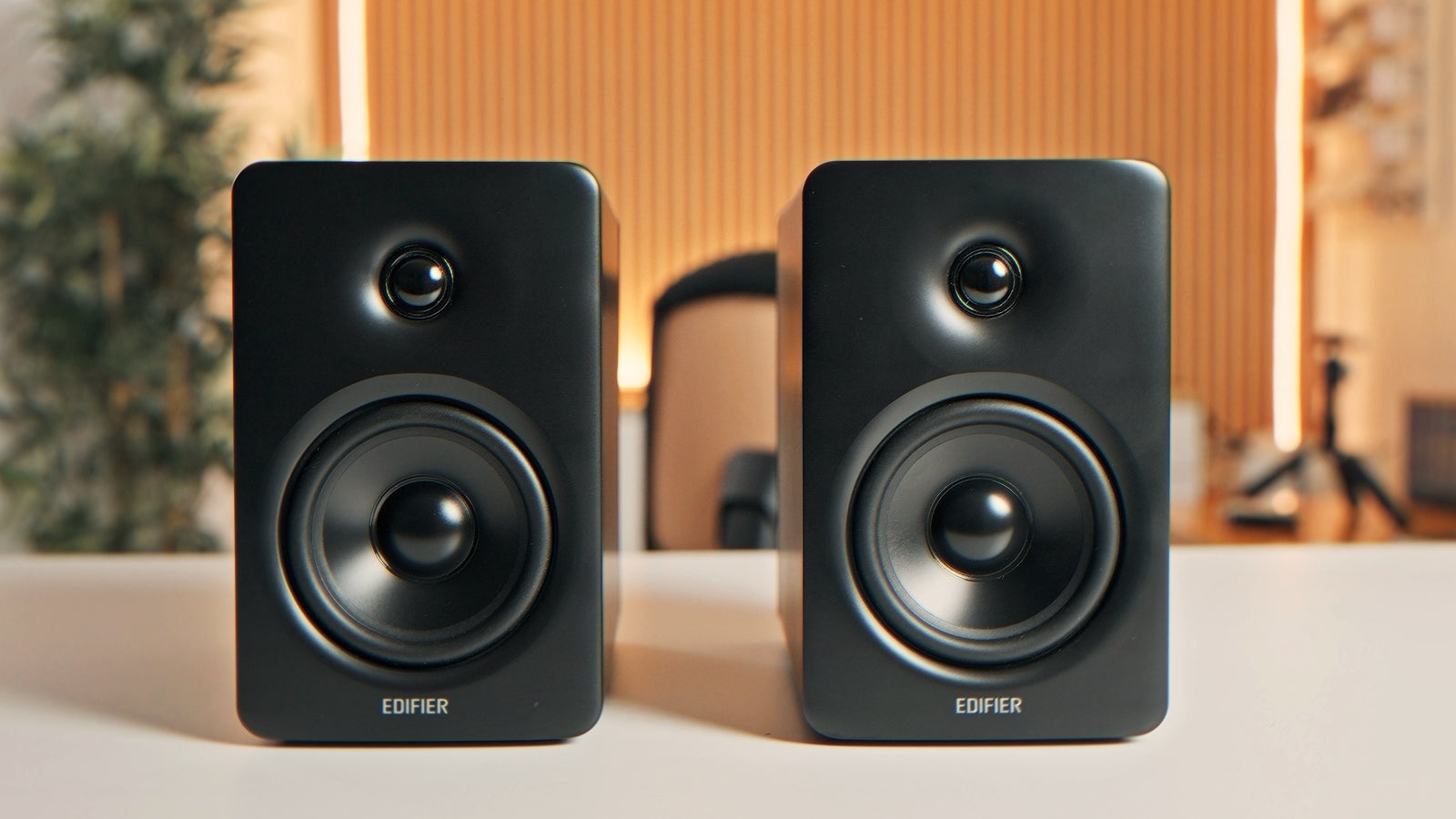
L'Edifier M90 a été conçu pour répondre à ce besoin. Grâce à l'intégration de la technologie HDMI eARC, le M90 se connecte directement à un téléviseur avec un simple câble HDMI, offrant ainsi la simplicité d'une connexion TV à un système stéréo actif compact. Sur un bureau, il se transforme en un système d'écoute de proximité haute performance idéal pour la musique, le montage audio et l'écoute quotidienne. Connecté à un téléviseur, il devient un système home cinéma compact pour le streaming et les jeux vidéo sur console, sans la complexité des équipements audio-vidéo traditionnels.

Pourquoi la technologie HDMI eARC est importante pour les haut-parleurs de bureau
L'HDMI est courant dans les équipements home cinéma, mais encore rare dans les systèmes d'enceintes de bureau. Si de nombreuses enceintes de bureau se connectent facilement aux ordinateurs, la connexion avec les téléviseurs est plus complexe, ces derniers privilégiant de plus en plus l'HDMI comme voie audio principale. Grâce à la technologie HDMI eARC intégrée, les enceintes M90 comblent cette lacune : elles permettent une connexion directe entre le téléviseur et les enceintes via un seul câble et simplifient leur contrôle grâce à la télécommande du téléviseur.
Outre la connectivité HDMI eARC, le M90 intègre un port USB-C, une entrée optique, une entrée ligne et le Bluetooth. Ainsi, un seul système d'enceintes s'adapte au travail, aux loisirs et à l'écoute occasionnelle, qu'il soit placé sur un bureau, à côté d'un téléviseur ou ailleurs.
FAQ : Configuration HDMI eARC et des haut-parleurs
Qu'est-ce que HDMI eARC ?
L'HDMI eARC (Enhanced Audio Return Channel) est une version améliorée de l'ARC qui offre une bande passante audio plus élevée et une meilleure communication entre les appareils, permettant ainsi une transmission audio de meilleure qualité d'un téléviseur vers des haut-parleurs externes via un seul câble HDMI.
Ai-je besoin d'eARC pour connecter des enceintes à un téléviseur ?
La norme ARC prend en charge le son de base des téléviseurs, mais la norme eARC est conçue pour une transmission audio de qualité supérieure et une fiabilité accrue. Si votre téléviseur et vos enceintes sont compatibles eARC, il s'agit de la connexion à privilégier pour les contenus modernes.
Pourquoi la technologie eARC est-elle remarquable dans un système d'enceintes de bureau ?
Les enceintes de bureau sont généralement conçues pour les entrées informatiques. La technologie eARC simplifie l'intégration avec un téléviseur et garantit une haute qualité audio, permettant ainsi à un seul système d'enceintes actives compact de répondre aux besoins d'écoute sur ordinateur et de divertissement à domicile.

Partager:
Trois ambiances sonores de Noël à écouter absolument
Start with M90. Build Better Sound with Edifier.